 Inbox
Inbox
Each message is checked against your rules. A match runs the action you defined: forward, CRM lead, MCP tool, flag, suggested reply, or another step.
Desktop email Rules · Catch-all · Second Mind
Where work happens
for you.
A native Mac email client that routes, suggests, and remembers.
Rules handle what you already know. A permanent catch-all suggests what to do with the rest. Your decisions teach the system over time. Second Mind keeps the context you need for mail and meetings.
- Rules for known patterns
- Catch-all for the rest
- Credentials in Keychain
- Connectors as rule actions
How it works
Route · Coach · Learn · Remember
Mail arrives. Rules act first. The catch-all handles what is left. Your choices teach the system. Second Mind keeps what you need to recall later.
What does not match lands on the catch-all. It is always there and cannot be removed. It suggests what to do; you choose whether to act.
NeoMail records actions you take on unhandled mail. Over time, repeated patterns can become new rules, and the catch-all handles less.
Second Mind stores optional context per rule: rolling memory (~30 days) and fixed context that does not expire. Ask about mail history or meetings with prior correspondence in view.
Use cases
What NeoMail takes off your plate
NeoMail is not a new inbox to learn. It is the same work you already do, expressed once as rules, then kept up by the catch-all and Second Mind.
Sales follow-up
Leads get handled the same day.
- Route inbound leads to the right owner and pipeline stage
- Draft a reply that matches your offer and tone
- Create or update a CRM record with approval for writes
Support triage
Known issues skip the backlog.
- Detect intent and route to the right queue or teammate
- Suggest a reply, tags, and next actions on catch-all mail
- Learn recurring patterns and propose rules you can approve
Finance and billing
Receipts land where they belong.
- Route invoices, renewals, and receipts automatically
- Flag mismatches and missing purchase order details
- Keep a Second Mind record for vendors and contract terms
Hiring loops
Candidates do not stall.
- Route recruiting mail by role, location, and stage
- Suggest scheduling options and prep context for interviews
- Keep a rolling memory of the latest feedback and threads
Founder inbox
Your attention stays reserved.
- Rules handle the predictable and leave only true decisions
- Catch-all suggestions reduce repeat coaching over time
- Second Mind keeps context for customers, partners, and deals
Project operations
Threads turn into next steps.
- Route updates, approvals, and escalations by rule
- Turn a decision email into a short task summary you approve
- Keep a fixed record of “how we do this” per project
Common pattern: rules handle what you already know, catch-all suggests on the rest, and Second Mind stops context from leaking away.
Rules
Specific rules. One catch-all.
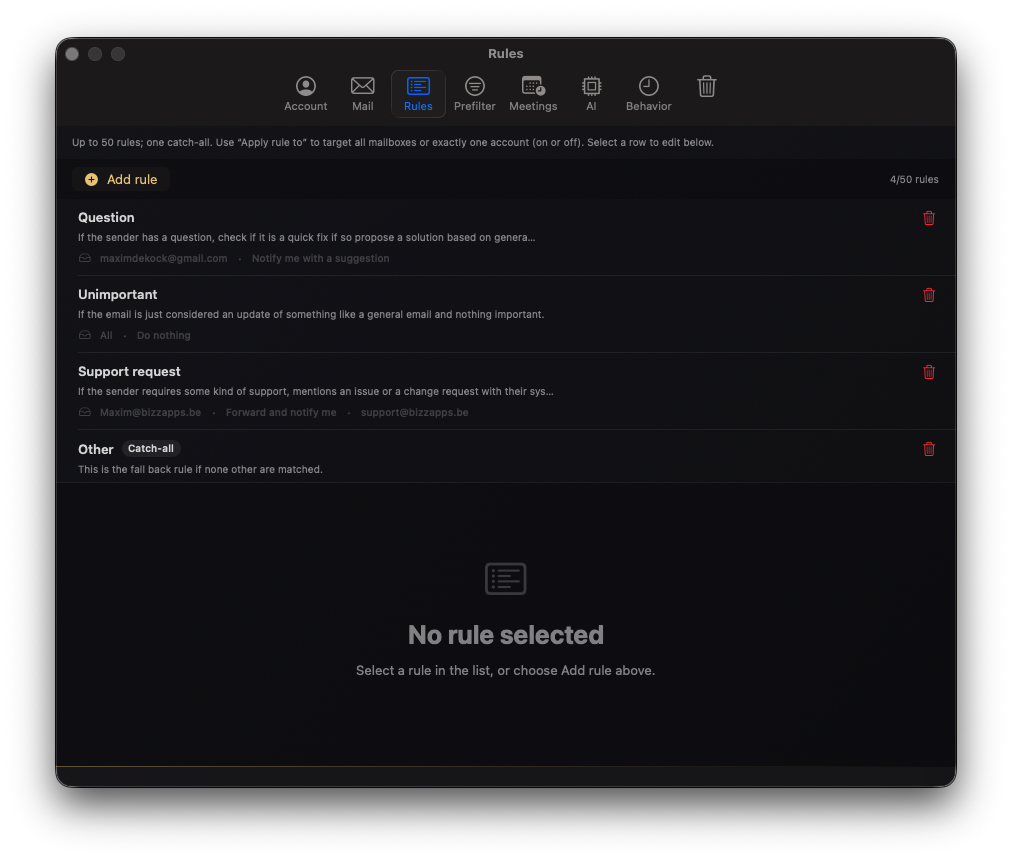
Write rules in plain language with a clear action. Scope them to mailboxes when you need to. The catch-all covers everything else. That is intentional, not a fallback.
Actions you define
Forward to a colleague, create a CRM lead, call an MCP tool, flag for follow-up, suggest a reply, or chain steps you trust. Rules run when criteria match. Known mail does not sit in a manual queue.
Catch-all suggests
Unmatched mail gets a suggestion, not a silent send. You see what the system proposes on mail it has not handled before. Automation should grow from how you actually work.
Handled state
When you act on catch-all mail, NeoMail records it. Similar messages and the same action can turn into a rule, so the inbox reflects your habits.
Second Mind
Context that matches how long you need it
Optional capture per rule. Ask questions about your mailbox, or about a meeting with related email in context. Pin what must never drop off the record.
Rolling context
Recent detail ages out after roughly thirty days. Enough for active threads and short-term follow-up without an ever-growing pile.
Fixed context
Facts, preferences, and standing instructions you mark as permanent stay available for answers and meeting prep until you change them.
Mail and meetings
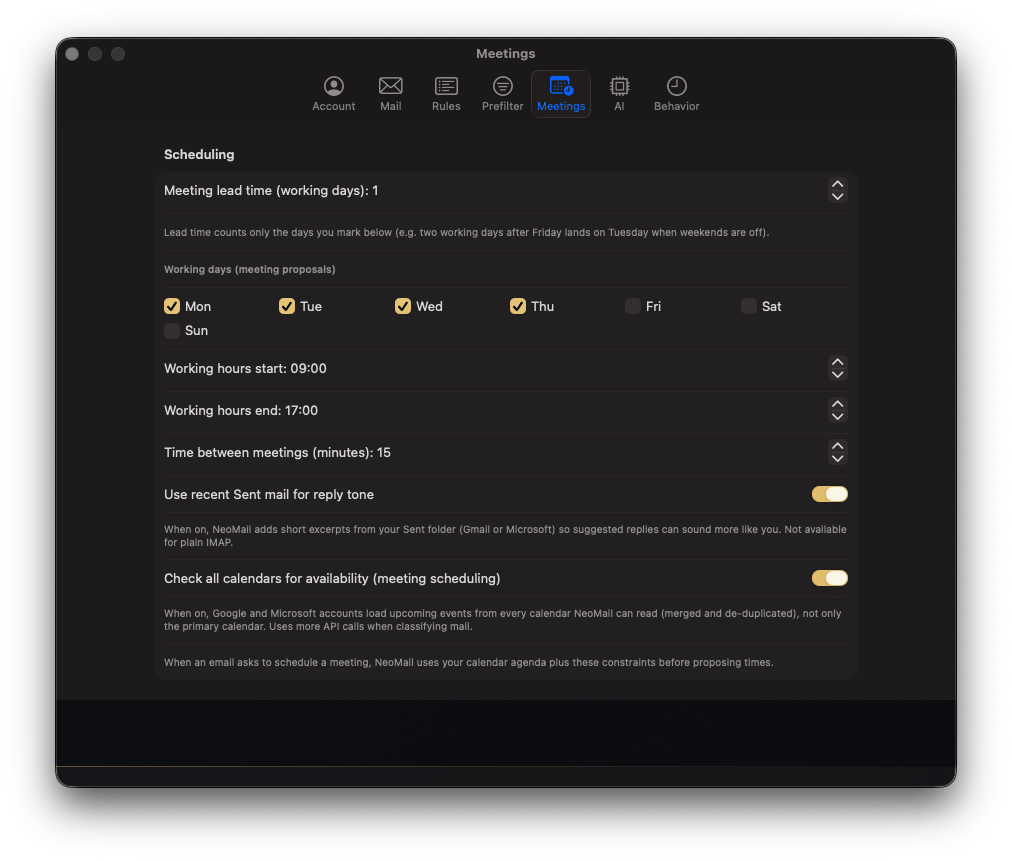
Query what arrived, what you decided, and how correspondence ties to an upcoming call, without copying threads into a separate notes app.
Connectors
Connect your stack to rule actions
Connectors are things a rule can run. Salesforce and Dynamics 365 are built in. Other tools can be connected through MCP. Keep approvals for sensitive writes.

See all connectors. Mail sources and rule actions, in one place.
Agents
Extra help when a thread needs it
Agents can summarise a thread, draft a reply, or prep CRM context when you ask. They propose. You approve. Sends and important integration steps stay gated.
On demand
Assign an agent when the catch-all or a rule is not enough. Useful for one-off depth, not a replacement for rules that should run automatically.
Clear output
Drafts, labels, and CRM updates you can read before anything goes out. Not an open-ended chat tied to your inbox.
Same approvals
Nothing leaves your account and no CRM record updates without the confirmations you expect elsewhere in NeoMail.
Transparency
What NeoMail may process
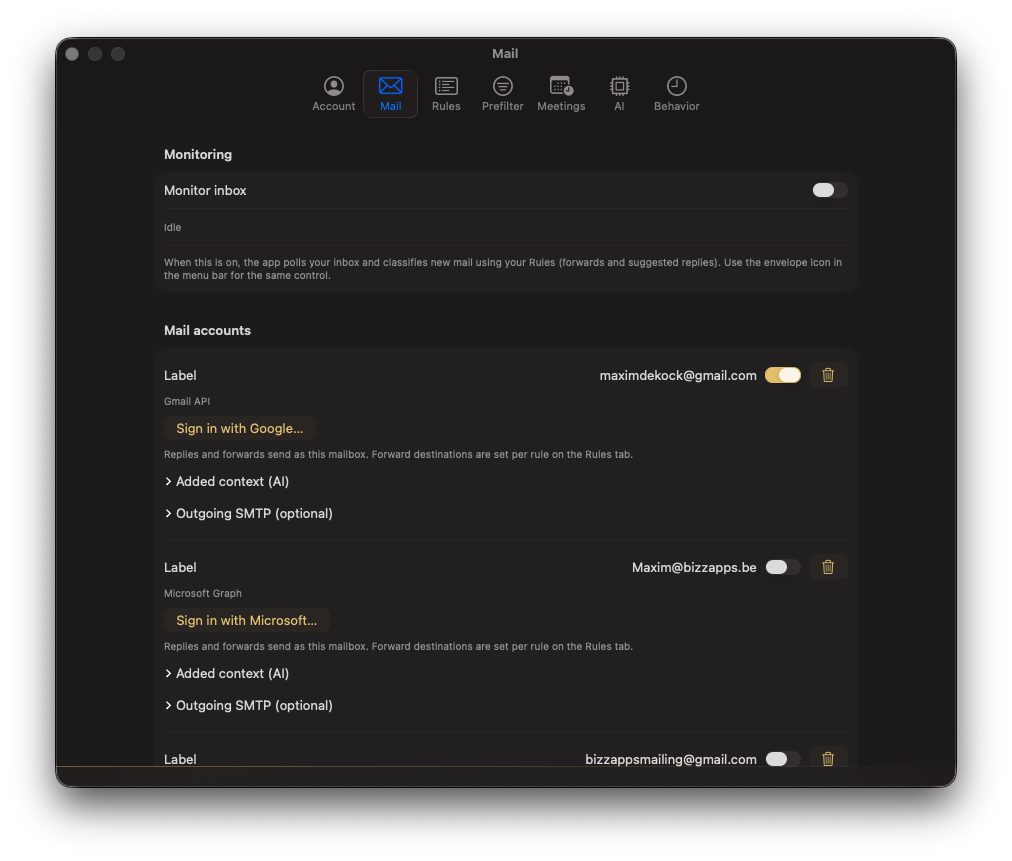
When a rule, catch-all suggestion, or agent needs processing, this is the practical split. Your mail provider still holds the mailbox. We do not mirror it in our cloud.
May be processed
- Rule criteria and catch-all prompts you wrote
- Message headers and body excerpts you allow
- Thread context when required for the task
- Second Mind rolling and fixed context you enabled
- Classification, drafts, and integration payloads
Does not
- Host a full copy of your mailbox on NeoMail servers
- Use your mail to train foundation models
- Store mail credentials outside Keychain on your Mac
- Send mail or update CRM without your approval where configured
Processing for suggestions and agents runs through NeoMail. You connect accounts and choose which integrations each rule may use.
Get started
Seven days, full access. Cancel before the trial ends if it is not for you. No dark patterns.
Start 7-day trial